Back to portfolio
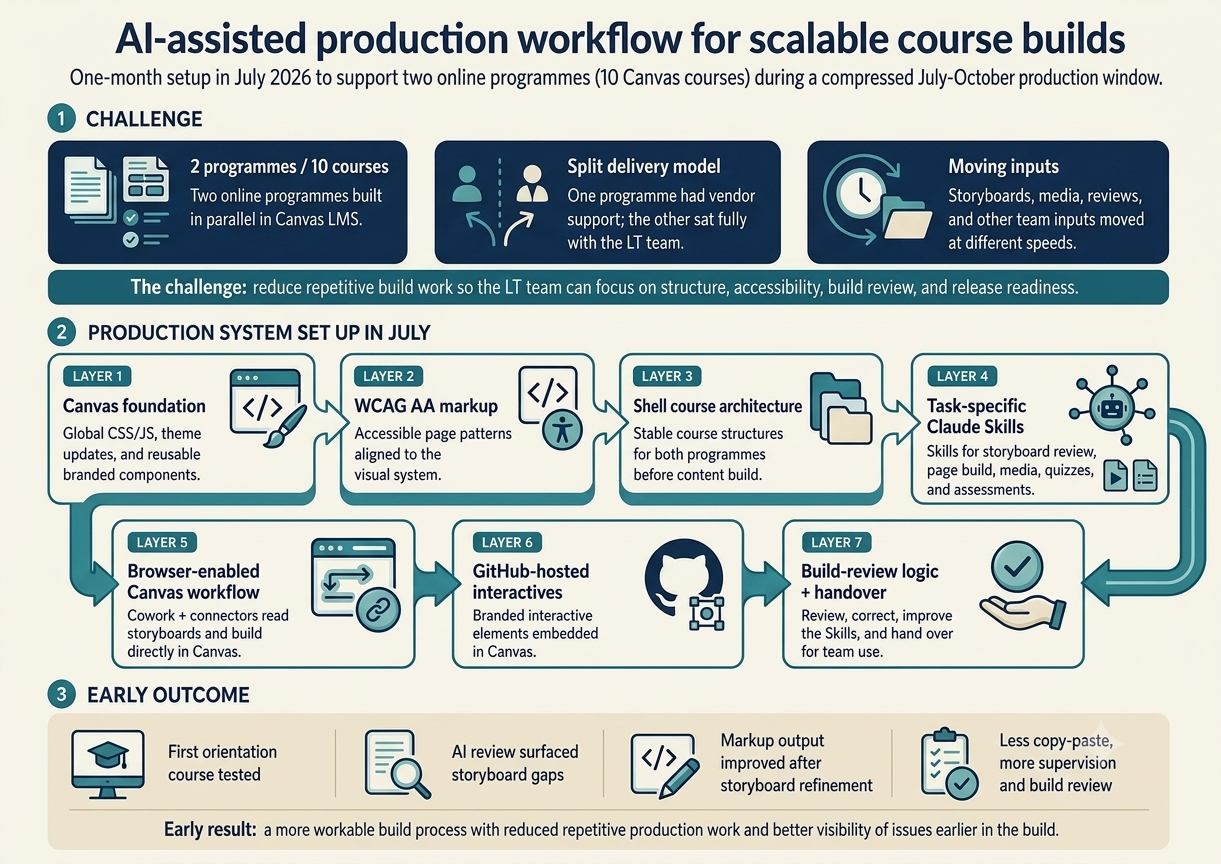
Infographic showing the AI-assisted production workflow for scalable course builds — a challenge summary, a seven-layer production system set up in July 2026 (Canvas foundation, WCAG AA markup, shell course architecture, task-specific Claude Skills, browser-enabled Canvas workflow, GitHub-hosted interactives, and build-review logic), and an early-outcome summary from the first orientation course test.
AI-assisted course production July 2026 FourthRev / Leading Australian university

AI-assisted production workflow for scalable course builds

A workflow-design project set up in July 2026 to support the build of two online programmes for a leading Australian university in Canvas LMS. I designed the AI-assisted production system — including reusable Claude Skills, Canvas build rules, branded CSS/JS, WCAG AA markup patterns, build-review logic, and GitHub-hosted interactive workflows — so the Learning Technology team can produce ten Canvas courses more consistently during a compressed three-month delivery window.

Project overview

This case study covers the setup of an AI-assisted production workflow supporting two online programmes for a leading Australian university: ten Canvas courses in total, with vendor support for one programme and the second programme built fully by the Learning Technology team.

The delivery challenge is significant: both programmes need to be built within a three-month production window, but only one programme has vendor build support. The other programme sits fully with the Learning Technology team, while both programmes still require storyboard review, course shell setup, branded theme work, accessible Canvas markup, media uploads, embeds, quizzes, assessments, review cycles, and release checks.

Rather than framing the work as a completed course build, this project focuses on the production system I established in July 2026: the reusable Skills, connectors, Canvas rules, markup patterns, and build-review logic that support the LT team as programme content moves through production.

The workflow uses Claude Cowork, Claude Skills, Google Workspace connectors, Canvas LMS, a browser-enabled Canvas workflow, GitHub, and HTML/CSS/JS. Storyboards are picked up from Google Workspace, interpreted through task-specific Skills, converted into Canvas-ready content, and built into Canvas with the required pages, media, embeds, quizzes, assessments, and interactive elements.

The most useful early outcome is not simply faster production. It is that repetitive build work is now organised into a reusable workflow, giving the LT team more space to focus on structure, accessibility, build review, consistency, and release readiness.

Key features & early outcomes

  • Designed and built an AI-assisted production workflow to support two university programmes, covering ten Canvas courses in total
  • Created task-specific Claude Skills for storyboard review, Canvas page build, media handling, quiz and assessment setup, build-review checks, and branded interactive development
  • Used the first orientation course as an early test case, with AI review surfacing storyboard gaps and supporting stronger Canvas-ready markup before build
  • Used AI-assisted coding to create and refine global CSS and JS, update Canvas sub-account themes, and establish reusable branded interface patterns
  • Created WCAG AA markup patterns matched to the university's visual system, supporting more consistent Canvas page production
  • Put shell course structures in place so the LT team can build into a stable Canvas architecture across both programmes
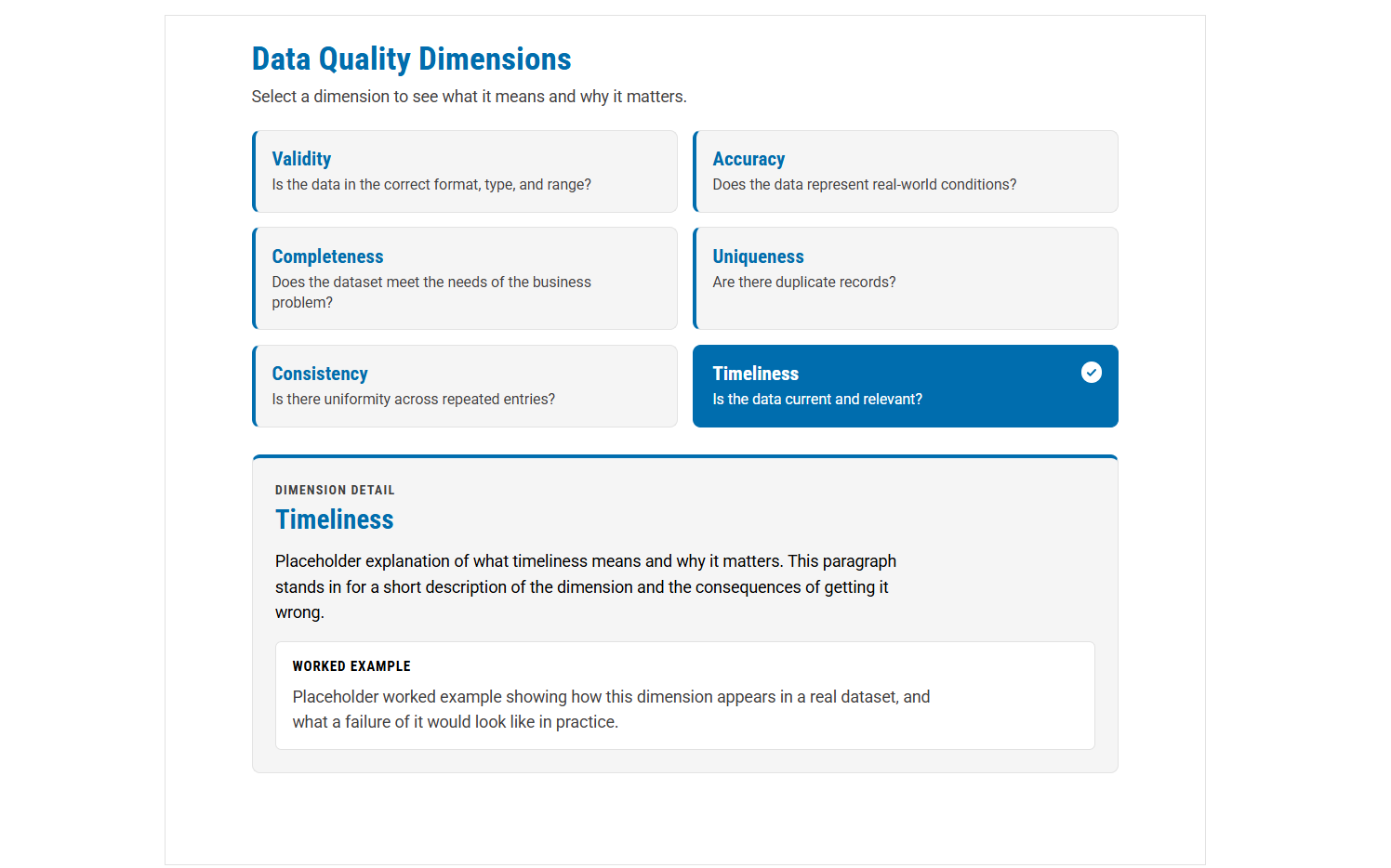
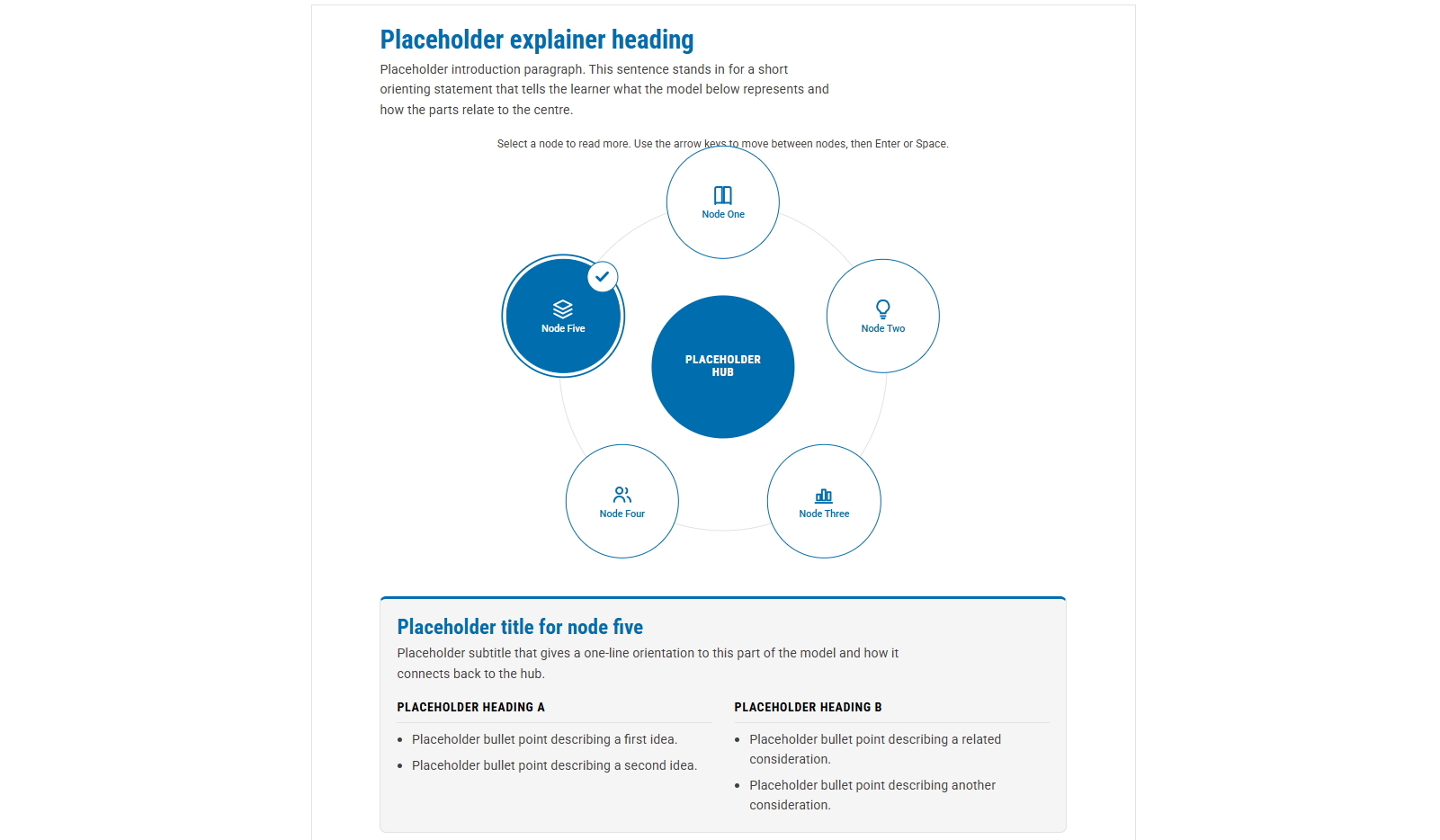
  • Built a Skill-based workflow for branded GitHub-hosted interactives embedded in Canvas LMS, extending the learner experience beyond standard Canvas page patterns

The challenge is how to support the build of two university programmes within three months, with vendor support for only one programme and the other programme sitting fully with the Learning Technology team.

Across ten Canvas courses, the work involves far more than page production. It includes storyboard review, course shell setup, branded CSS and JS, WCAG AA markup, media uploads, embeds, quizzes, assessments, review cycles, interactive elements, build review, and release checks.

The complexity is not only volume. It is timing. Storyboards, media assets, stakeholder reviews, and inputs from other teams are moving at different speeds. A conventional manual build process would leave the LT team repeating the same production tasks while also trying to manage late changes, accessibility, consistency, build review, and release readiness.

The solution is an AI-assisted production workflow: task-specific Skills, connectors, Canvas build rules, reusable markup patterns, and build-review logic that allow repetitive build tasks to be delegated to AI while the LT team stays focused on structure, quality, and release readiness.

I treated the work as a production-system design challenge, not just a course-build task. The aim was to establish the foundations, Skills, and workflows that allow the LT team to build consistently as content moves through the July–October production window.

Layer 1 — Canvas foundation and branded theme setup

I started with the Canvas foundation: sub-account theme updates, global CSS and JS, reusable branded components, and layout conventions.

This gives the build a stable visual and technical base before course content moves into production. It also means that the AI-generated Canvas output has a clear design system to build into, rather than producing one-off page layouts that need manual clean-up later.

Layer 2 — WCAG AA markup and reusable page patterns

Once the theme layer was in place, I created reusable markup patterns that matched the CSS and JS and supported accessible page structures.

These patterns became the bridge between the storyboard and the Canvas page. They help the AI-assisted workflow produce output that is not only branded, but also consistent in structure: headings, semantic layout, readable components, media placement, and WCAG AA-informed design decisions.

Layer 3 — Shell courses and build architecture

I established the shell course architecture for both programmes: five courses per programme, ten courses in total.

This created the structure the Skills build into. Deciding module order, page types, and learning flow is a human decision — not delegated to AI — because those choices carry pedagogical weight that a Skill cannot judge.

Layer 4 — Task-specific Claude Skills

I created task-specific Claude Skills for the production workflow. These Skills capture the build rules, markup conventions, Canvas behaviours, media handling requirements, and build-review expectations needed for the LT team to build consistently.

The aim was to avoid relying on one-off prompting. Instead, recurring production decisions were turned into reusable instructions: how a page should be structured, how media should be handled, how quizzes and assessments should be created, and how branded components should appear inside Canvas.

Layer 5 — Browser-enabled Canvas workflow

I connected the workflow through Claude Cowork, Google Workspace connectors, and the browser-enabled Canvas environment.

The workflow picks up storyboards from Google Workspace, interprets the relevant build instructions, converts content into Canvas-ready output, and supports the creation of pages, media embeds, quizzes, assessments, and other course elements directly in Canvas.

This is designed to reduce the repetitive production layer, not remove human control. The LT team still owns the structure, build review, and release decisions.

Layer 6 — GitHub-hosted branded interactives

I also developed a Skill-based workflow for creating branded interactive elements hosted in GitHub and embedded in Canvas.

This extends what can be achieved inside standard Canvas pages while keeping the learner experience visually aligned with the university's brand. It also creates a more flexible route for richer interactions where Canvas-native options are too limited.

Layer 7 — Build-review logic and team handover

The workflow is designed so the LT team can review, correct, and improve the Skills as production continues.

When the system misses something, the pattern can be fed back into the relevant Skill so the same issue is less likely to repeat. In that sense, build review becomes part of the workflow design, not just a final manual check.

The workflow does not remove human review. It changes where the team's attention can go. Instead of spending most of the time manually assembling content, LT can focus more on structure, accessibility, consistency, media behaviour, assessment setup, and release readiness. Formal QA remains a separate team process.

The workflow is now being used during the university build and is already showing promise.

The first orientation course provided a useful test case. The storyboard needed improvement before it could produce strong Canvas output, and the AI review helped surface missing information, unclear structure, and content gaps before the build stage. Once I finalised the storyboard, the markup output improved.

The process still needs minor adjustments, but the nature of the work has already shifted. Instead of manually copying, pasting, and formatting page by page, I am supervising the workflow, reviewing the output, correcting missed patterns, and feeding those improvements back into the Skills.

The media handling Skill is designed to identify, upload, and place media assets, reducing another repetitive manual layer as course assets become available.

The early result is a more workable build process: reduced repetitive production work, earlier visibility of storyboard gaps, and more attention available for build review.

AI Skills need production rules, not just prompts. The strongest results come from turning production decisions into reusable Skills. A useful AI workflow needs more than a good prompt; it needs rules for how content should be structured, how media should be embedded, how assessments should be handled, and how branded components should behave inside the LMS.

Foundation first makes AI-assisted build possible. The AI workflow is only useful because the Canvas foundation is in place first: global CSS and JS, shell courses, branded components, and accessible markup patterns. Without that foundation, AI could produce content faster, but with more inconsistency and more clean-up.

Build review becomes part of the system. Manual build review is not a separate final step. It becomes part of the workflow design. When the workflow misses something, the Skill can be updated so the same issue is less likely to repeat. That makes the production system stronger as the build progresses.

Interactivity can sit outside the LMS while still feeling native. GitHub-hosted interactives create a way to build richer learner experiences while keeping them visually aligned with the Canvas environment. The transferable skill is knowing when to work within Canvas and when to extend it carefully with external, maintainable components.

Team scalability changes the design problem. Designing a workflow for myself is different from designing one for a team. The Skills need to be clear, reusable, and stable enough for other Learning Technologists to use during a live production window.

Get in touch

Like this kind of work?

Happy to chat about full-time roles or projects — pick whichever option works best for you.