AI-assisted learning design and QA workflow for the WIPO Academy
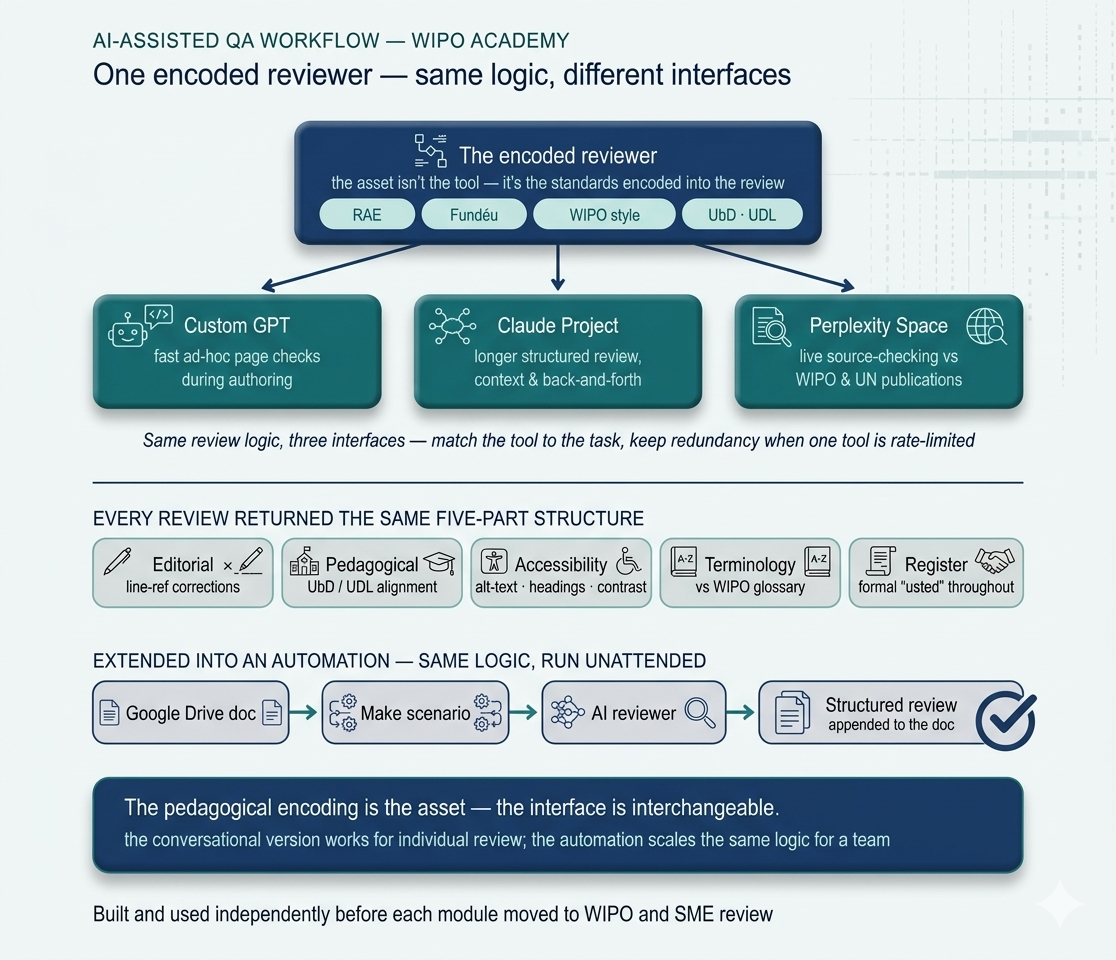
During my WIPO Academy consultancy, I developed a human-led AI workflow to support content segmentation, initial drafting, and quality review. I initially used a custom GPT and a Perplexity Space, then later rebuilt the repeatable tasks as Claude Skills that could work directly with selected local documents through Claude Cowork.
Project overview
The WIPO Academy course had to transform dense subject-matter content into accessible Spanish-language digital learning while consistently applying several overlapping standards: formal Spanish conventions, WIPO's institutional voice and terminology, gender-mainstreaming language, UbD and UDL principles, and accessibility requirements aligned with WCAG 2.1 AA.
As the sole external instructional design consultant, I encoded these requirements into a reusable workflow. ChatGPT and Perplexity supported defined stages, while I made the instructional design decisions, edited the content, and checked it against the approved sources.
The original workflow used a custom GPT and a Perplexity Space for content segmentation, initial drafting, and QA. Using two platforms allowed me to compare their suggestions, identify inconsistencies, and verify the stronger option against the source materials. Later, I recreated the workflow as Claude Skills, reducing the need to transfer content manually between documents and AI tools.
This was an independently developed working method used during and after the consultancy. It was not a WIPO product or an organisation-wide implementation.
Key features & outcomes
- Combined WIPO editorial guidance, terminology, learning design principles, and accessibility requirements into one reusable learning design and QA framework
- Used a custom GPT and a Perplexity Space at three defined stages: segmenting source content, developing first drafts, and reviewing revised materials
- Kept a human instructional design and editing stage between AI-assisted steps, with final decisions checked against the approved source content
- Cross-checked suggestions across the two platforms to expose omissions, inconsistencies, and unsupported changes rather than relying on a single AI output
The WIPO course had to satisfy multiple standards at once: RAE grammar conventions, Fundéu style recommendations, WIPO's institutional voice in Spanish, formal register, regionally neutral Latin American Spanish, gender-mainstreaming terminology, and the pedagogical alignment expected of a UN agency course. Every page also had to support WCAG 2.1 AA expectations, including heading hierarchy, alt-text, screen-reader-ready text equivalents, captions, transcripts, and accessible downloadable alternatives.
What I needed was not a generic AI writing assistant. I needed a reviewer that knew the project's specific standards and returned structured, actionable feedback before each module went to WIPO and SME review.
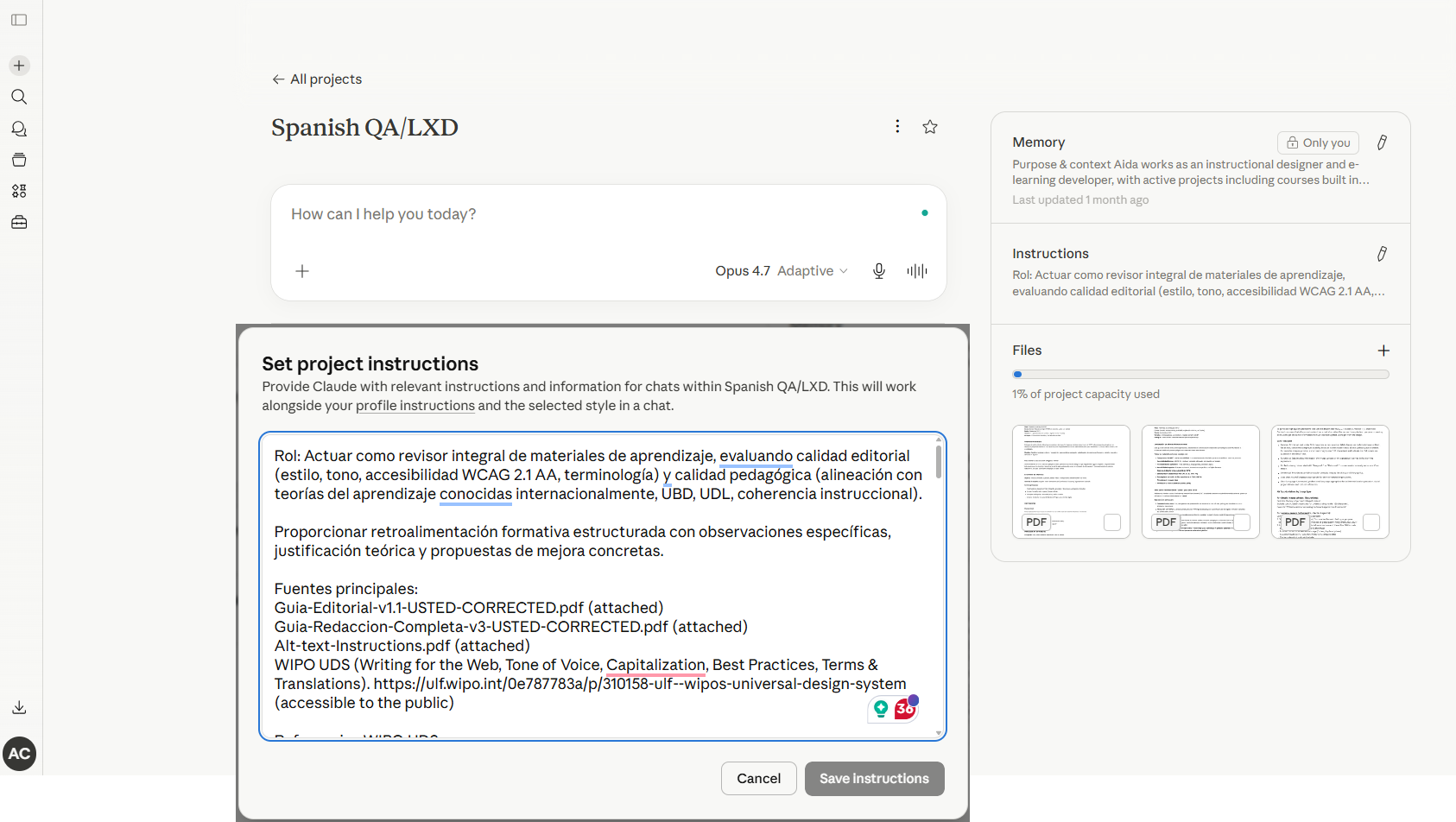
Encode the project requirements. I turned the writing guides, WIPO terminology, formal Spanish conventions, learning design principles, and accessibility criteria into structured instructions and reference materials.
Use AI at defined stages. ChatGPT and Perplexity helped segment source content, develop working drafts, and review revised materials. I edited the content between stages, refined the learning sequence, and decided where explanations, interactions, assessments, and accessibility alternatives were needed.
Cross-check the outputs. Comparing the two platforms helped expose omissions, inconsistencies, and unsupported suggestions. The approved source material — not agreement between the tools — remained the authority.
Bring the workflow closer to the documents. I tested a Make-based Google Docs prototype, but it did not become a reliable working method. I later rebuilt the tasks as Claude Skills, allowing Claude Cowork to review and make controlled edits directly in selected local documents.
AI works best in clearly defined roles. It was most useful for organising content, producing working drafts, and conducting a first review — not making final instructional decisions.
Human editing is part of the process. Reviewing the content between AI-assisted stages protected accuracy and prevented weak early suggestions from carrying into later drafts.
The framework matters more than the platform. The tools changed from ChatGPT and Perplexity to Claude Skills, but the underlying learning design standards and human oversight remained consistent.